

A first trip to China can involve several systems that work differently from the ones you use at home. Your phone may need to handle identity documents, payments, maps, transport, translation, bookings, and communication. One “all-in-one” app rarely replaces every specialist service, so the safest approach is to prepare by job rather than by brand.
The useful test: if your mobile data stopped for thirty minutes after landing, could you still identify your hotel, show its address, access your booking, and explain where you need to go?
1. Keep travel documents available offline
Save copies of the information you may need at immigration, a hotel desk, a station, or an airport. This can include your passport information page, visa or entry documentation when applicable, accommodation details, onward travel, insurance, and emergency contacts.
Keep sensitive documents in a protected location on your device. A screenshot is convenient, but convenience should not mean leaving identity documents exposed in an unlocked photo gallery. Also retain the original documents required by the relevant authority; a digital copy is a fallback, not a universal substitute.
2. Prepare more than one way to pay
Before departure, check which payment methods your bank and the services you intend to use currently support. Complete any identity verification while you still have reliable access to your home phone number and bank. Then make a small test transaction when practical.
- Bring at least one physical payment card that is enabled for international use.
- Set up any mobile wallet you expect to use before the trip.
- Tell your bank about travel if its fraud controls require it.
- Keep a modest fallback rather than depending on a single account, device, or network.
Payment rules and supported cards can change, so verify current instructions from the wallet provider and your bank shortly before travel.
3. Check maps with the names you will actually use
A useful map setup needs more than a blue location dot. Test whether you can find your hotel by its English name, Chinese name, and full Chinese address. Save the places that matter on arrival: airport or station, accommodation, first destination, and a nearby landmark.
Take a screenshot of the Chinese address and phone number of your accommodation. If a driver, station employee, or local service cannot find the English name, the Chinese address is usually the more useful artifact to show.
4. Separate transport discovery from confirmed tickets
You may use one service to compare routes and another to hold the actual booking. Keep confirmed flight and rail details somewhere you can reach without searching through email. For each transfer, record:
- departure date and local time;
- the exact airport or station, including terminal when known;
- booking reference and passenger name;
- the Chinese name of the destination;
- enough buffer for identity checks, security, and finding the correct entrance.
Do not rely on an AI-generated itinerary as proof of a reservation. The booking provider remains the authority for schedules, ticket status, and changes.
5. Prepare translation for three different jobs
“Translation” covers several distinct moments. Make sure your setup can handle the ones that matter to your trip:
| Travel moment | What helps | Fallback |
|---|---|---|
| Reading a sign or menu | Camera or image translation with the original text visible | Save the photo and ask about one item at a time |
| Short conversation | Large, simple translated sentences and optional audio | Show the written sentence instead of repeating a long speech |
| Urgent need | Prepared phrases for allergies, medical help, lost property, or directions | Carry the key message offline in Chinese |
For allergies, medical needs, legal documents, and emergencies, translation software can assist communication but cannot guarantee accuracy. Prepare the exact message in advance and confirm it with a qualified person when the consequences are serious.
6. Keep one itinerary that connects the day
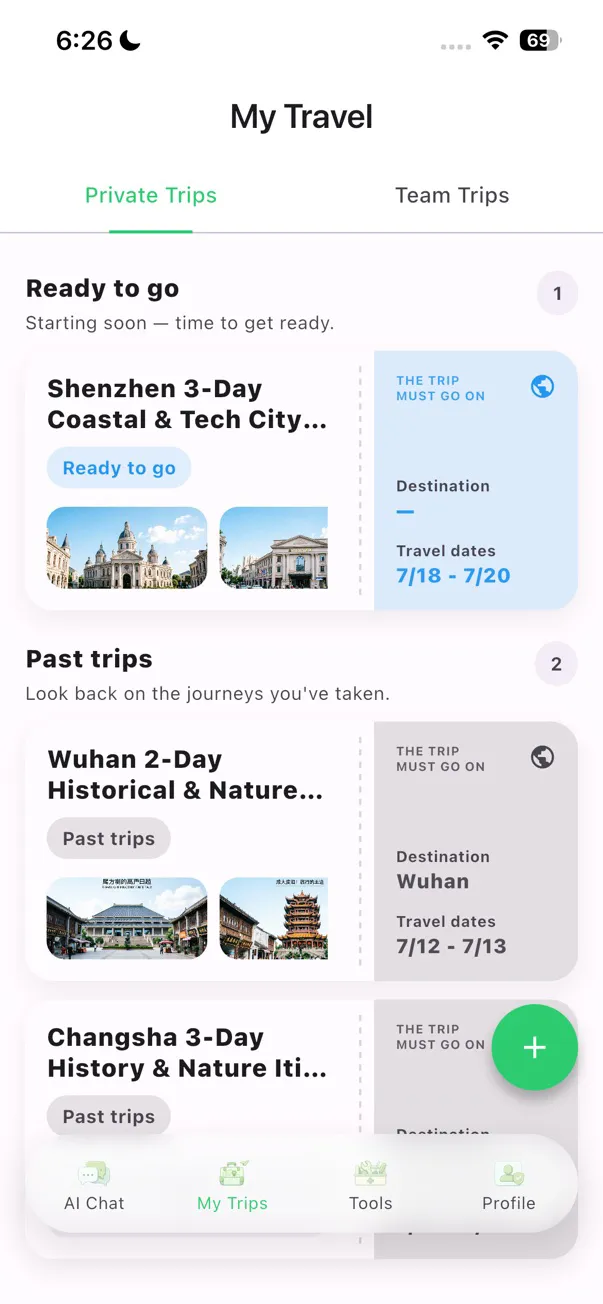
Your itinerary should answer practical questions, not merely list attractions. Each day needs a realistic area, travel order, opening-time checks, meal flexibility, and a clear way back to your accommodation. Store booking references next to the relevant day without placing sensitive payment details into a general AI prompt.
TravelPanda can help turn your dates, interests, saved screenshots, and preferences into a day-by-day China itinerary. You can review stops, import travel-plan screenshots, and adjust a plan as the trip changes. It does not replace the official source for entry rules, ticket validity, transport schedules, or emergency advice.
7. Download offline help before you need it
Do not wait until the signal is weak to discover that an offline pack is missing. Download any supported offline resources on Wi-Fi, open them once, and verify the feature on the actual device you will carry.
On compatible devices, TravelPanda offers an optional Offline Kit for selected menu and conversation translation scenarios. Availability varies by device and language, and some AI features still require a connection, membership, or in-app purchase. Treat offline capability as a prepared layer, not a promise that every function works without a network.
8. Run one departure-day rehearsal
- Turn off Wi-Fi and confirm your essential travel information is still reachable.
- Open the address of your first accommodation.
- Find your arrival transfer and booking reference.
- Display one prepared Chinese sentence at readable size.
- Check that your backup payment method and emergency contacts are available.
- Charge your power bank and keep the required cable accessible.
A resilient setup is intentionally a little redundant. The goal is not to predict every problem; it is to prevent one failed app, account, or connection from stopping the entire first day.